Customers, rebooking and reviews
Bookr keeps a list of everyone who has sent you a request, reminds them when their next detail is due, and asks them for a review.
7 days free. No card required.
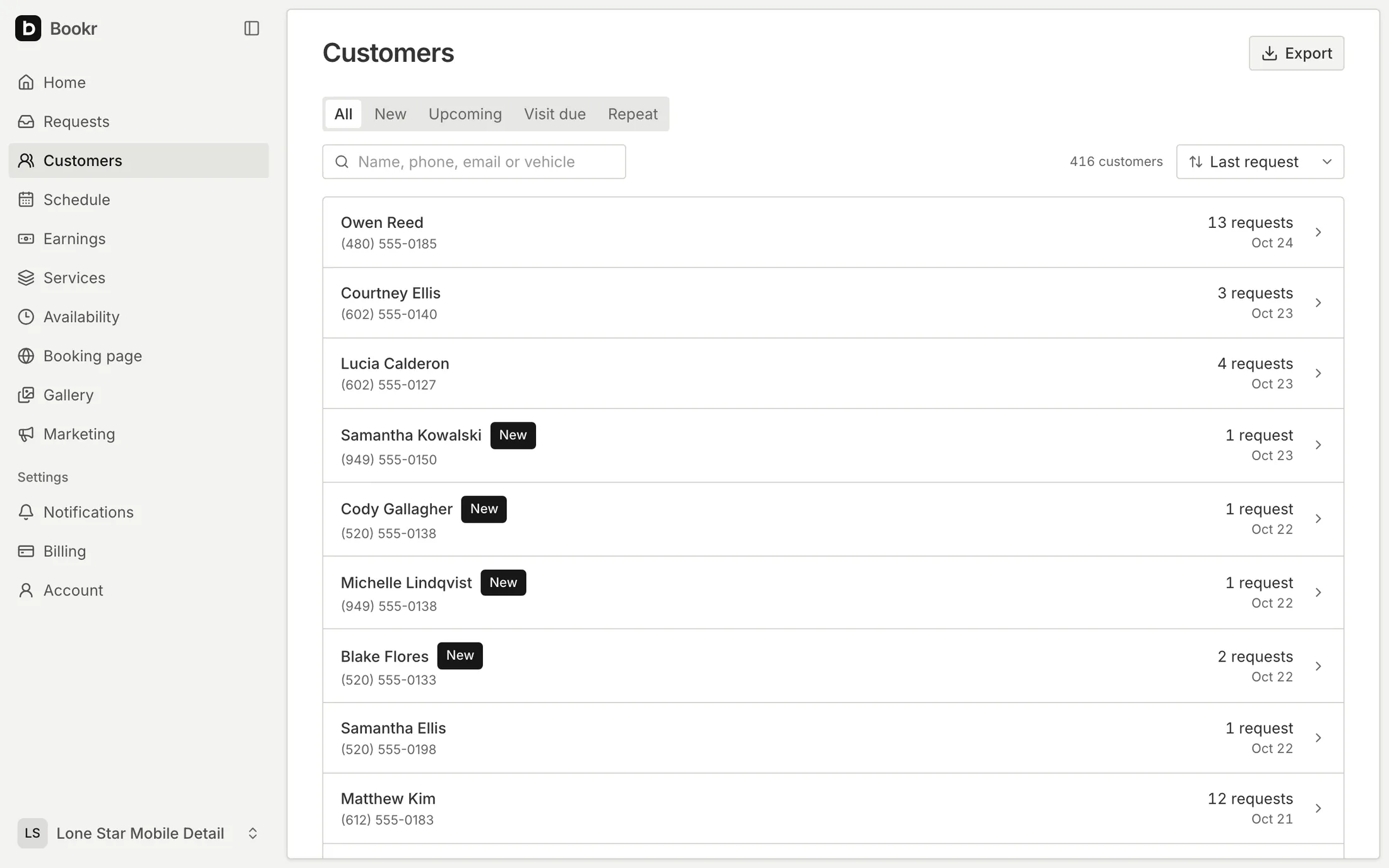
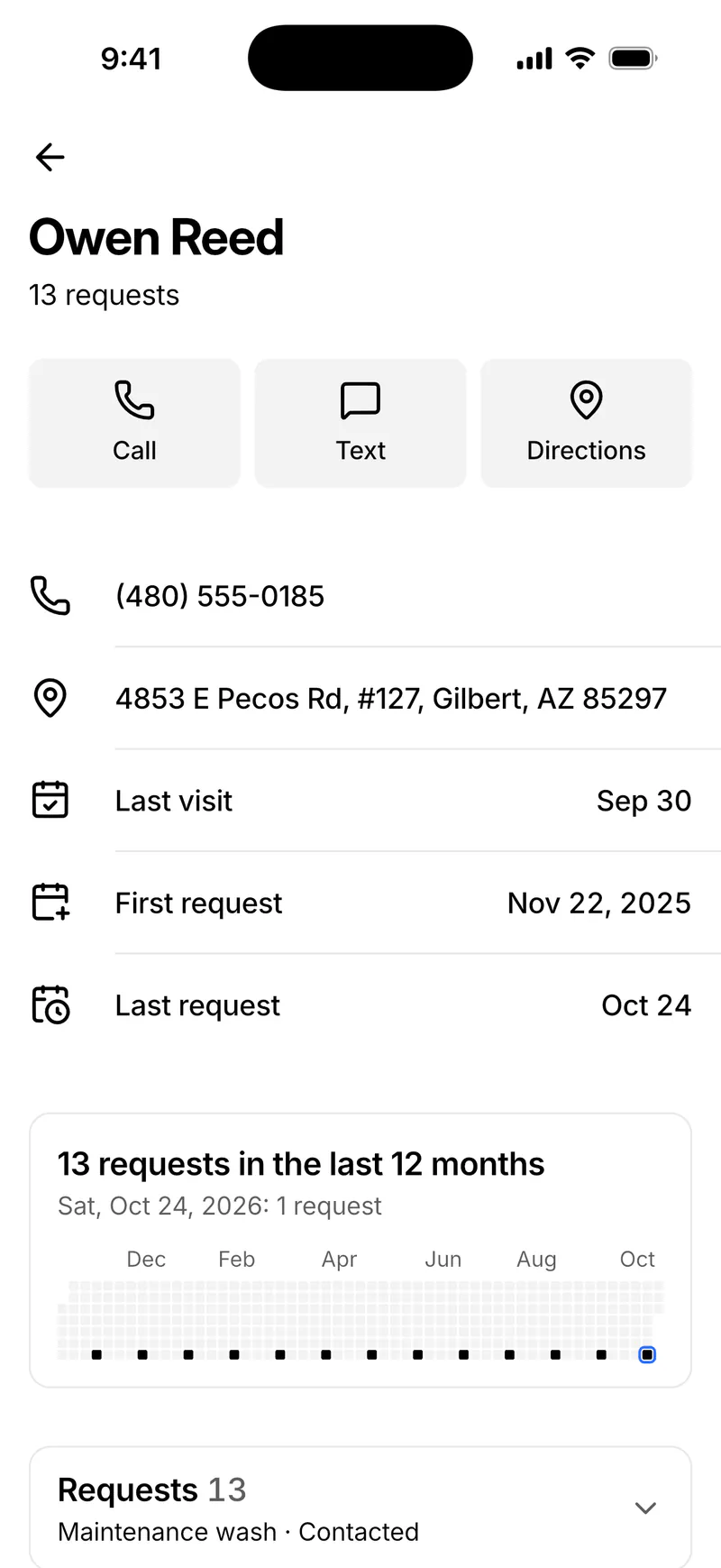
Built from your requests
Requests from the same phone number are one customer. Search by name, phone, email or vehicle, and sort by last request, next visit, last visit or most requests.
- New: a request still waiting for you
- Upcoming: a visit coming up
- Visit due: time for the next detail
- Repeat: more than one request
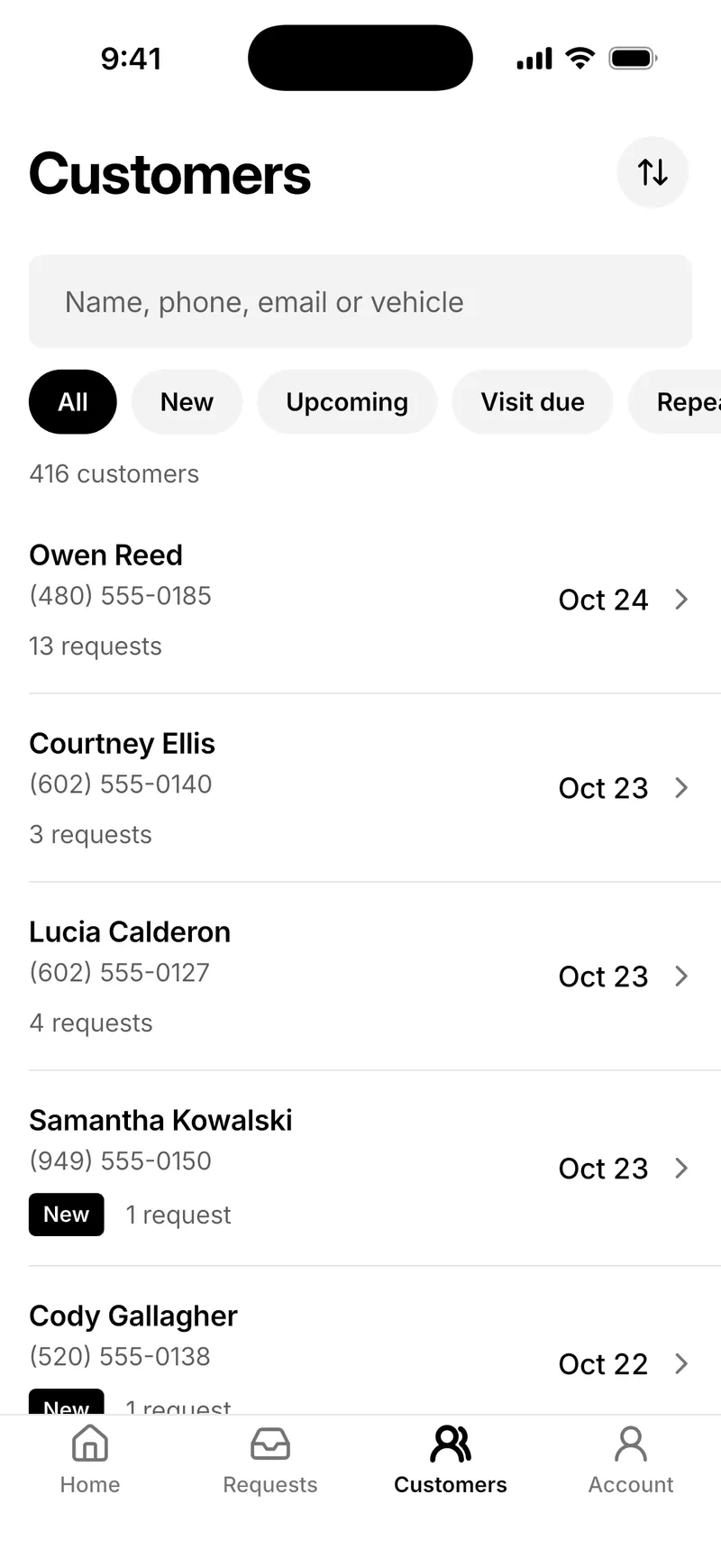
Everything about a customer
Call, text, email or get directions. See their newest address, up to five vehicles, and their requests with status and price. Regulars get a year of requests at a glance.
Rebooking reminders
Choose 1, 2, 3 or 6 months. Bookr emails customers when their next detail is due, counted from their last visit, with a button to your page. Customers who ask again, have a visit coming or stop reminders get none.
- Customers shows them as Visit due
- Text a reminder from your own phone in one tap
- Each email carries your mailing address, as the law requires for marketing email
Reviews after the job
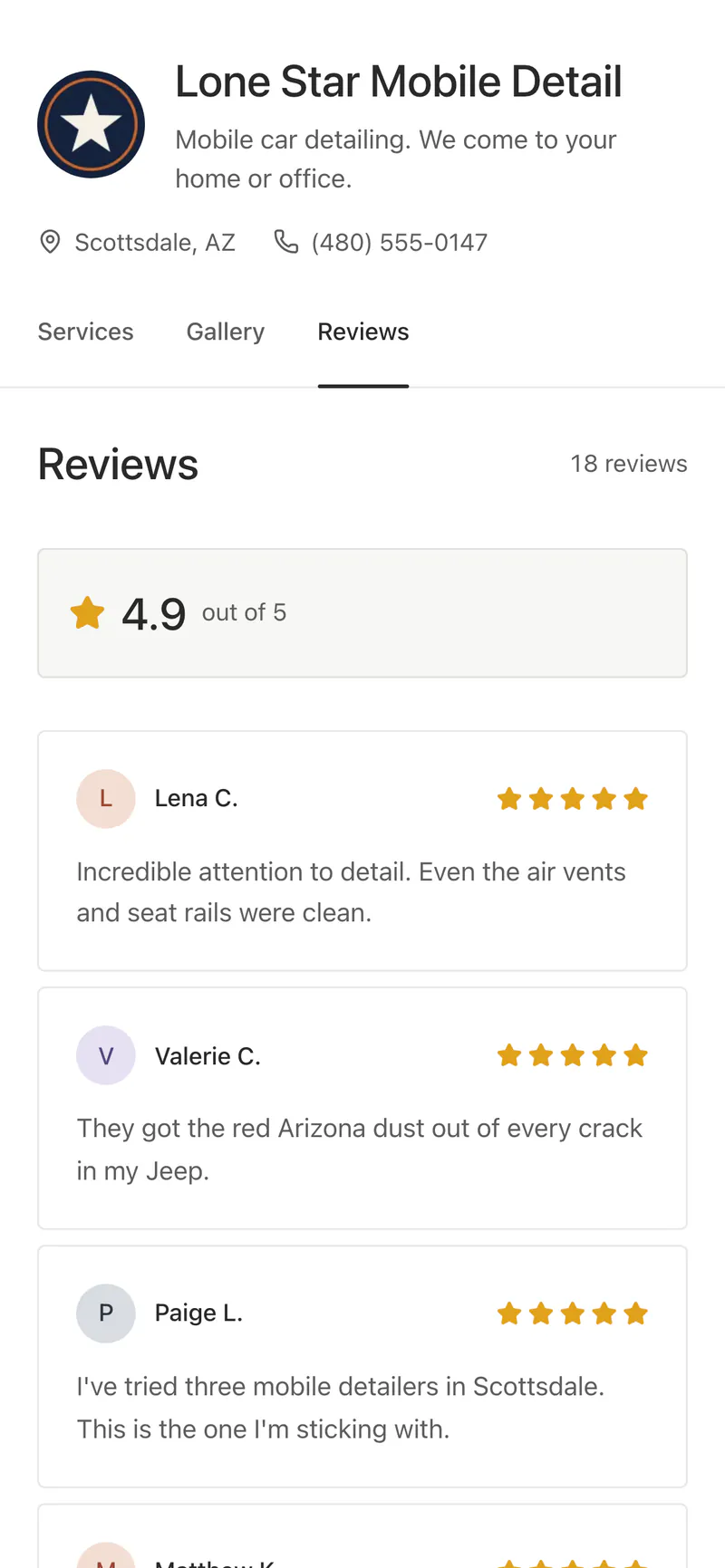
When a job is done, ask for a review by text or email. Customers leave stars and a few words, and you choose which appear on your page. If you have a Google profile link, they can post it there too.
Included in every plan
- Customers
- Search, tabs and five ways to sort
- History
- Vehicles, requests, visits and a year of activity
- Rebooking
- Email reminders after 1, 2, 3 or 6 months
- Export
- Customers, requests, quotes and invoices as CSV, whatever your plan
Questions
Do I have to add customers myself?
No. Everyone who sends you a request is on the list, joined by phone number.
Can I take my data with me?
Yes. Download customers, requests, and quotes and invoices as CSV files at any time, even after your plan ends.
Can customers stop rebooking reminders?
Yes. Every reminder has a link to stop them, and Bookr honors it right away.
More in Bookr
Booking page
Services with photos and prices, vehicle and condition, photos, and the day and time customers prefer.
Quotes and invoices
Estimates with ranges, quotes to approve, invoices to pay by card, and earnings by week, month and year.
Scheduling
Working hours, time windows, scheduled visits, calendar sync and reminders the day before.
Marketing
Twelve print and social pieces with QR codes, and stats on visitors, sources and requests.
On your website
Your form inside a page, behind a button, in a floating button or as a link, on Wix, Squarespace, WordPress and more.
Themes
Six color themes for your booking page, from light Paper to dark Midnight. Switch any time.
iPhone app
Requests, quotes, customers, schedule and earnings on your phone. Coming soon to the App Store.
Pricing
One plan with every feature. 7 days free, no card required.
Take your next booking on Bookr
Set up your page today and share it with your next customer.