Estimates, quotes, invoices and card payments
Every request turns into an estimate, a quote or an invoice in a few taps. Customers approve it on their phone and pay you by card.
7 days free. No card required.
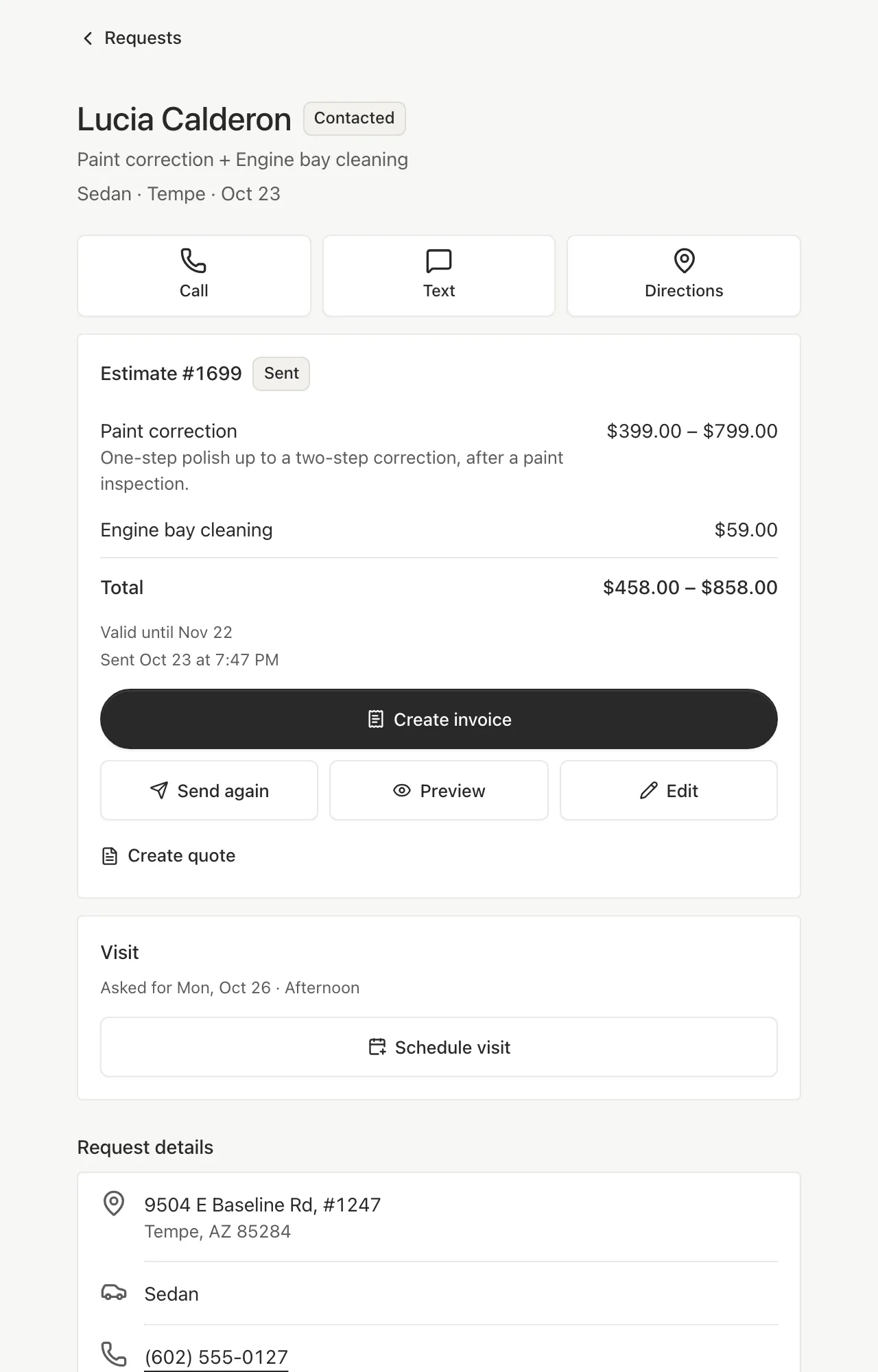
Starts from the request
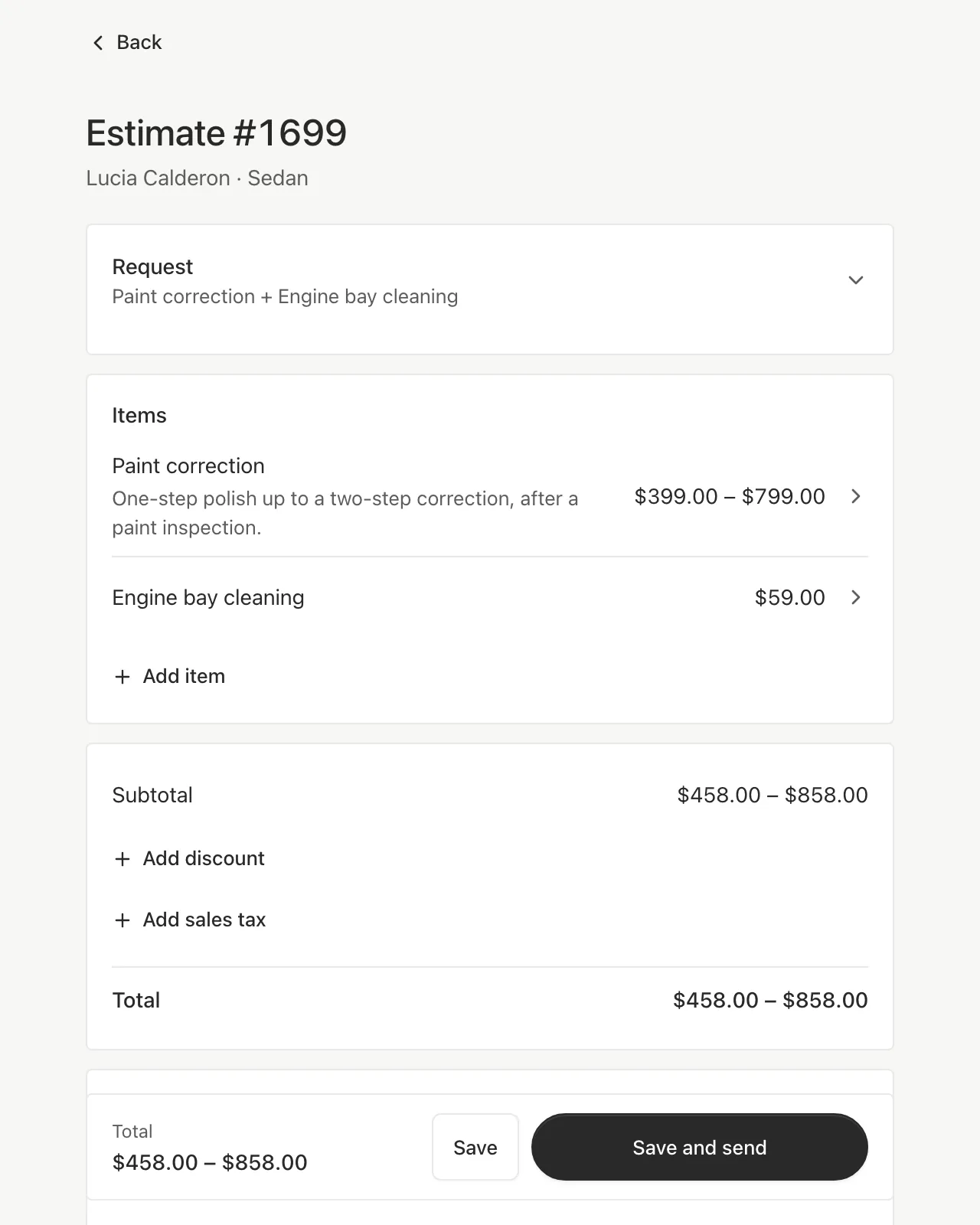
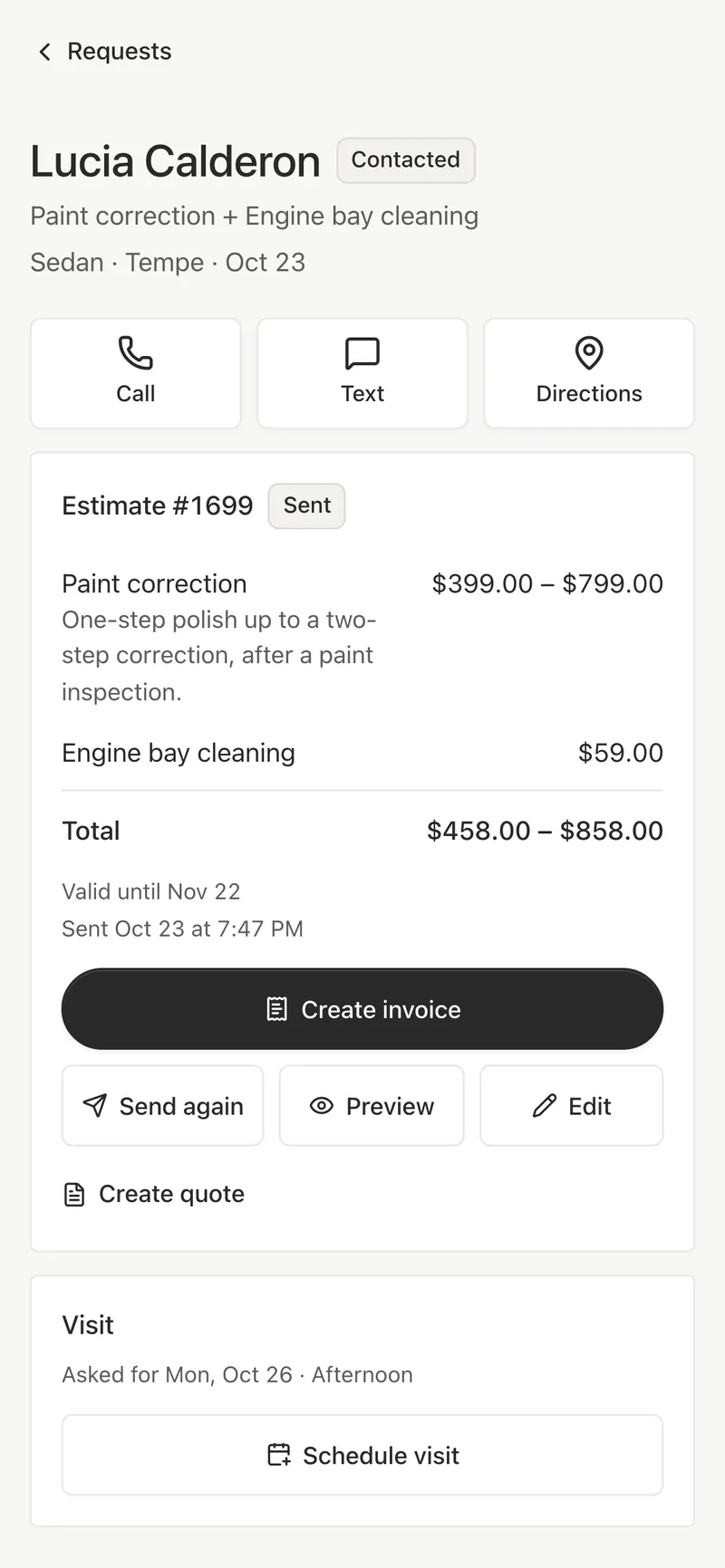
The editor opens with the customer’s services and add-ons already priced. Add items from your catalog or a line of your own, a discount in dollars or percent, sales tax and a note.
- Saved items for the extras you charge often
- Quantities on any line, and ranges on estimates
- Your tax rate and payment details are remembered
Estimate, quote or invoice
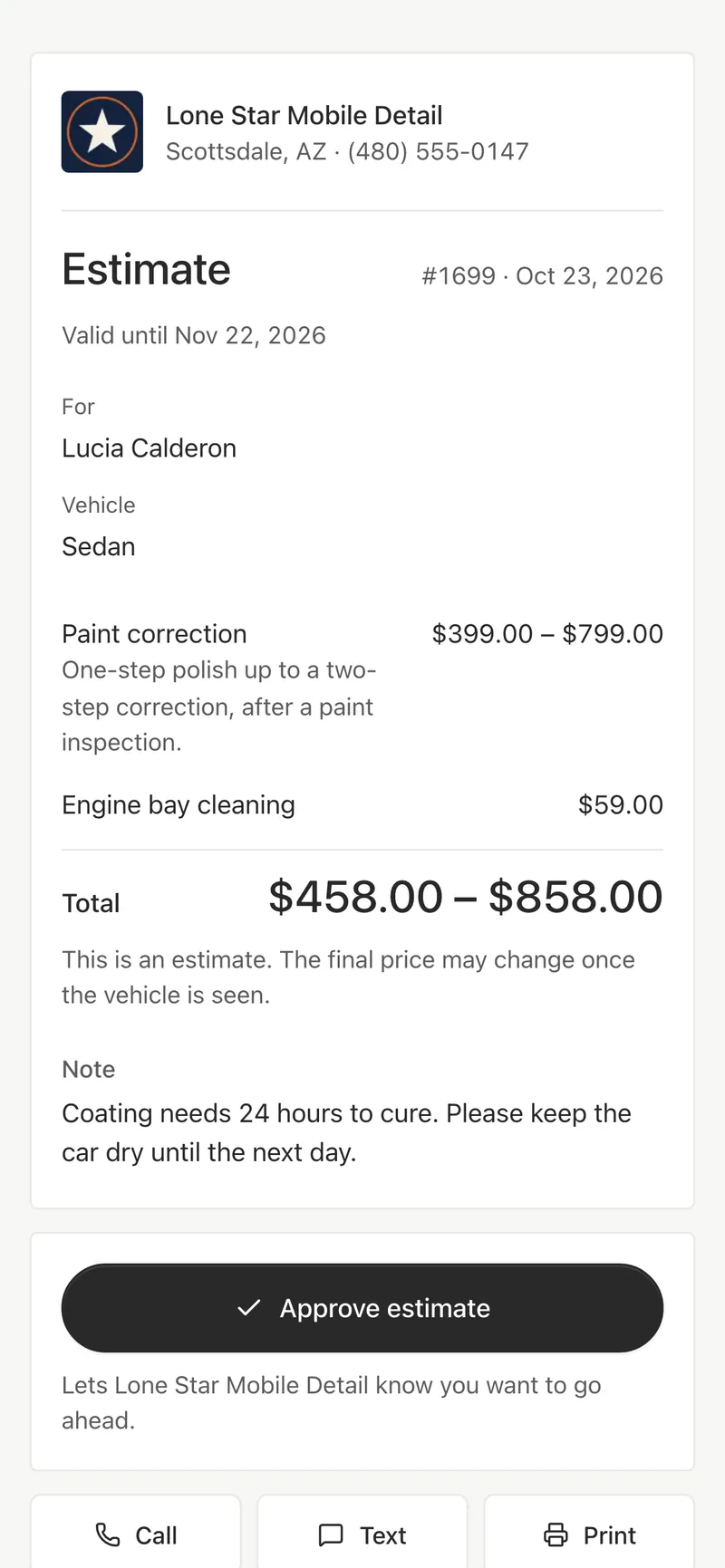
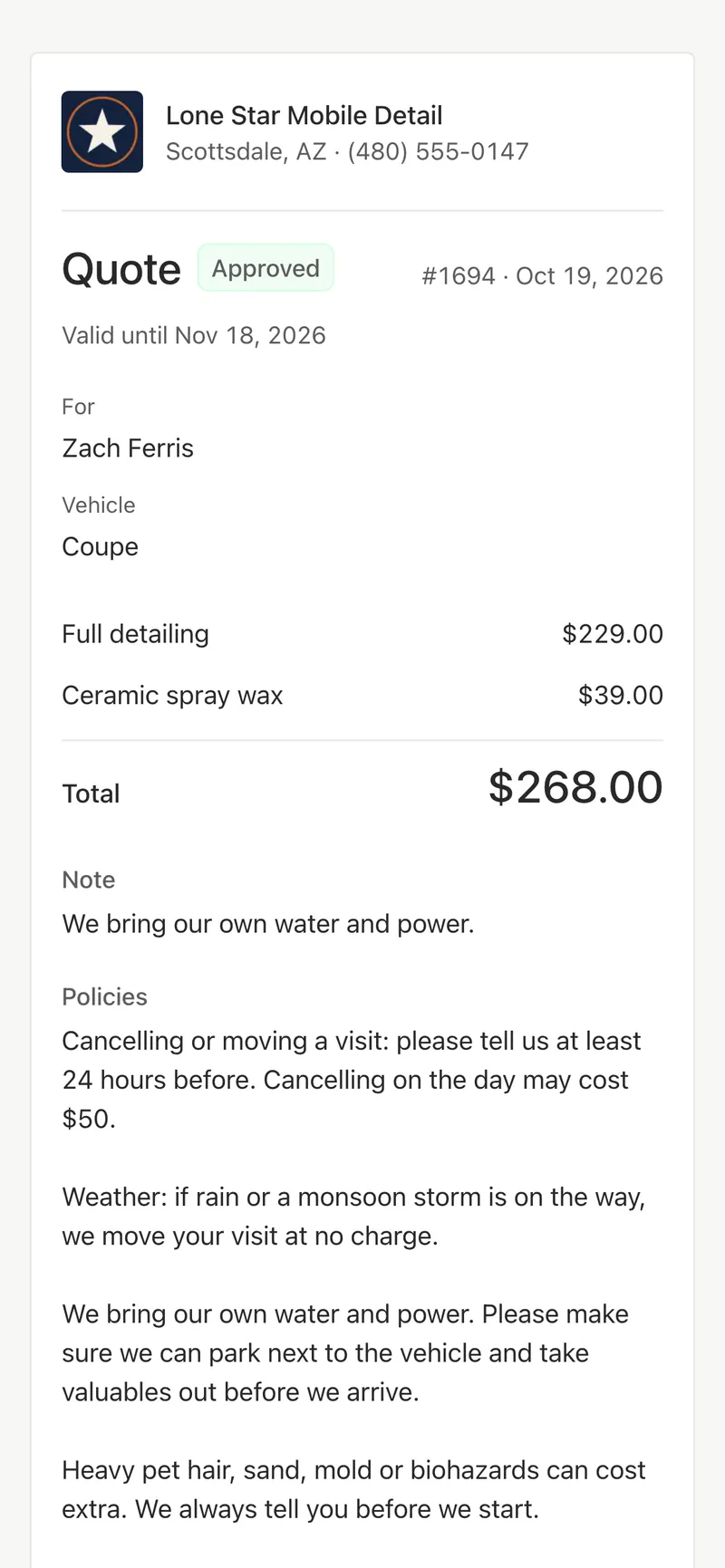
An estimate can be a range, for work you price once you see the car. A quote is a firm price for the customer to approve. An invoice says what’s due and how to pay.
- Customers approve an estimate or quote with one tap
- You get an alert when they do
- Every version stays with the request, numbered in order
Send it the way you talk to customers
Text the link from your own phone, email it from Bookr, or copy and share it. Customers open it in their browser, without an app or an account, and can print it or save it as a PDF.
Card payments that go to you
Connect your Stripe or Square account, and invoices show a Pay button for exactly the total. The money goes to your account. Bookr takes no fee; Stripe or Square charge their usual processing fees.
- Paid invoices lock and show Paid to the customer
- Refunds are made in Stripe or Square and show on the invoice
- Paid another way? Mark it paid, with the method and any tip
- Card payments are for US businesses, in US dollars
What you made, and what’s still owed
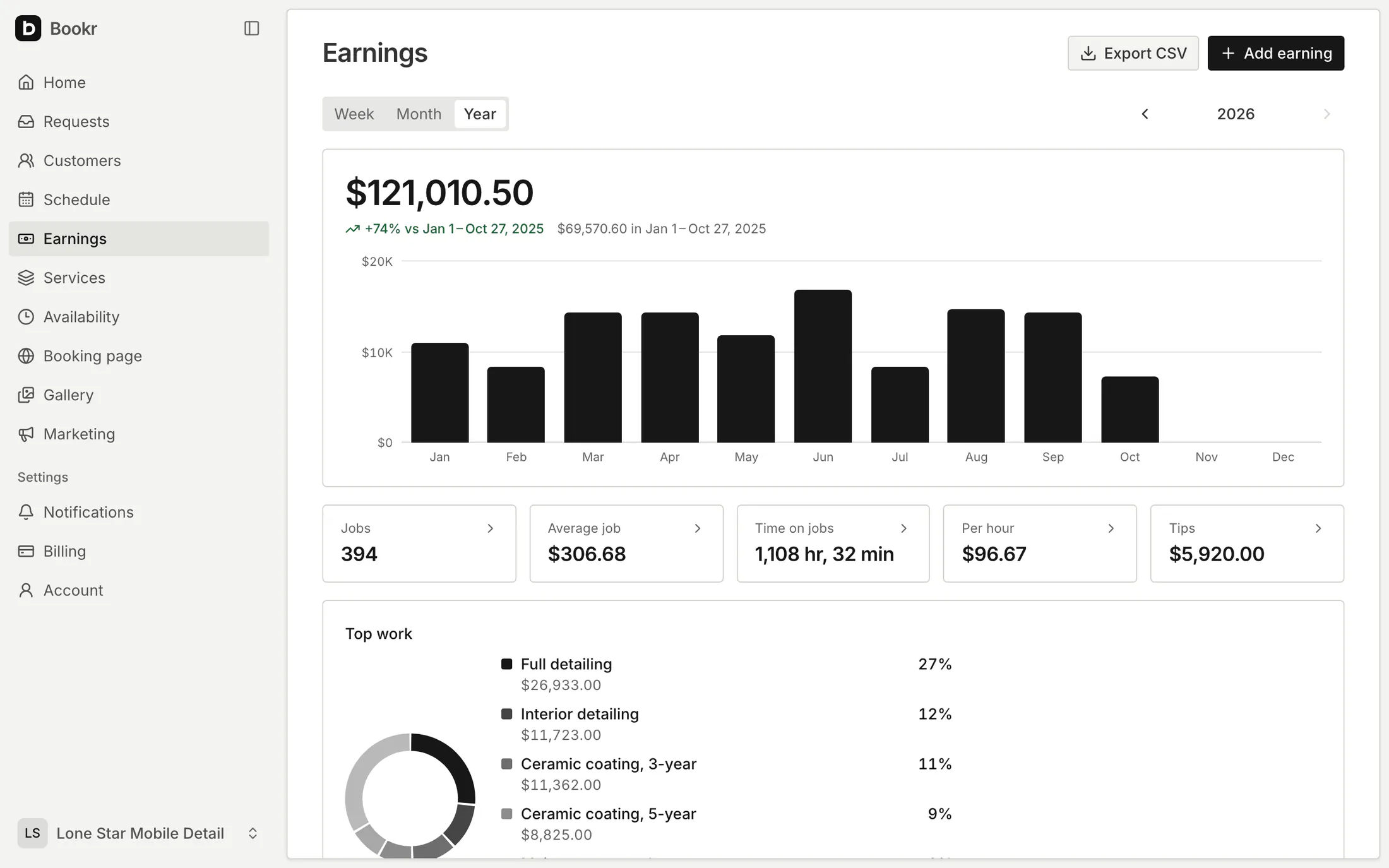
Earnings counts your jobs, average job, time on jobs, earnings per hour and tips by week, month or year, against the same period before. See what’s outstanding and what’s done but not billed, and export it as CSV.
Included in every plan
- Documents
- Estimates, quotes and invoices, numbered from 1001
- Prices
- Discounts, sales tax, quantities and ranges
- Sending
- Text from your phone, email, share or copy the link
- Payments
- Stripe or Square, with no fee from Bookr
Questions
Does Bookr take a cut of my payments?
No. Card payments go to your own Stripe or Square account, and Bookr adds no fee. Stripe or Square charge their usual processing fees.
Can I still take cash or Zelle?
Yes. Mark the invoice paid and choose how: cash, card, Zelle, Venmo, Cash App, PayPal, bank transfer or check. Only you see the method; the customer’s invoice shows Paid.
Do customers need an account to approve a quote?
No. They open the link you send in any browser and approve it there.
Can I send invoices outside the US?
Yes. Estimates, quotes and invoices work in 36 currencies and 15 languages. Card payments through Bookr are for US businesses in US dollars.
More in Bookr
Booking page
Services with photos and prices, vehicle and condition, photos, and the day and time customers prefer.
Scheduling
Working hours, time windows, scheduled visits, calendar sync and reminders the day before.
Customers
A customer list built from your requests, rebooking reminders, review requests and CSV export.
Marketing
Twelve print and social pieces with QR codes, and stats on visitors, sources and requests.
On your website
Your form inside a page, behind a button, in a floating button or as a link, on Wix, Squarespace, WordPress and more.
Themes
Six color themes for your booking page, from light Paper to dark Midnight. Switch any time.
iPhone app
Requests, quotes, customers, schedule and earnings on your phone. Coming soon to the App Store.
Pricing
One plan with every feature. 7 days free, no card required.
Take your next booking on Bookr
Set up your page today and share it with your next customer.